跳至主要内容

Solution: iPad Air Irregular White Apple Restart

We are going to repair a iPad air device today, according to our past phone repair experience, there are several possibilities for an occasional white apple restart problem:


- inaccurate battery power
- system
- NAND
...

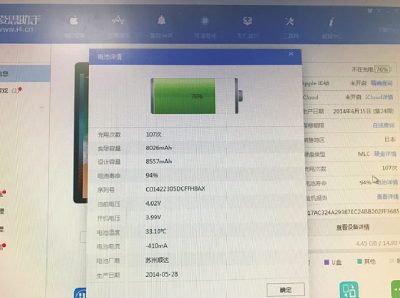
The faults have to be ruled out one by one. After consulting customers, we get to know the iPad can be reflashed, after reflashing, the iPad still restart from time to time, checking the iPad battery power information is normal, we eliminate the possibility of battery caused.


Next, take the iPad apart, remove the NAND chip and replace it with a new one, we want to see if the iPad air NAND chip caused the unscheduled restart.

Rewrite the data of new NAND chip on WL PCIE test fixture, and soldering it back to the motherboard.


Install the iPad to reflash, all the functions are tested normal, it also does not restart again and again, this fault is due to bad NAND chip caused by unscheduled white apple restart.

If you need more professional iPhone iPad repair solutions, contact us on www.vipfixphone.com

评论

此博客中的热门博文

iPhone 6 Display Failure after Replacing LCD

The iPhone 6 display is black after replacing LCD. After checking, the diode data of display socket is normal and all power supply for iPhone display IC  output is normal. Testing by  DC power supply , we find the iPhone current is abnormal. When press the iPhone power button, the boot current is obviously large. The current reached 100mA when press the power button. After remove the display tube, the current still the same, which means there is a short circuit. Measure the voltage output of each circuit of power supply with Fluke 15B+ Digital Multimeter , then surprised to find that there are really short circuit places. LD010 is short circuit; we suspect that the filter capacitance on the circuit has been penetrated. After remove the iPhone power control IC , we found it is ground short circuit. Open the WUXINJI Dongle  to check the iPhone schematic circuit, we found that this circuit is the display card image transmission MIPI data bus power supply. CPU brea...

Iphone 6S Enters DFU Mode Cannot Start Fault Repair

The customer said that he did not know what the reason was. The mobile phone has been restarted indefinitely and can enter the DFU mode. However, when the flashing machine fails to enter the recovery mode from the DFU mode, and then the mobile phone is connected to the computer for 5-10 minutes, it automatically enters the recovery mode. After we received the 6S that could not be started, we disassembled the power with iphone engraving tool and turned on the power to 100mA. First of all, check if you can connect and read the DFU mode after connecting to the computer. Wireless DFU can not exit, we can only brush the machine to view the error. Refresh Aisi and iTunes respectively. If you stuck on the progress bar for a long time, it is very likely that the error is -1. If the progress bar does not enter, you can roughly determine the probability of a CPU failure. Now we need to see if there is a problem with the hard drive. First, use DC power supply for iphone repair, the hard disk o...

Tutorial: iPhone 6S Plus Backlight Repair

Since the size of iPhone6s plus screen display  is large, it's necessary to use two sets of background lights to supply power, one is provided by U4020, the other is provided by U4050. 2  sets of circuit 1) PP_LCM_BL_ANODE,     PP_LCM_CAT1, PP_LCM_BL_CAT2 2) PP_LCM_BL34_ANODE,  PP_LCM_BL_CAT3, PP_LCM_BL_CAT4 For PP_LCM_BL_ANODE and PP_LCM_BL34_ANODE, if one of the circuit has no voltage value, it will cause the iPhone 6s Plus screen to be half bright and half dark. For PP_LCM_CAT1, PP_LCM_BL_CAT2, PP_LCM_BL_CAT3 and PP_LCM_BL_CAT4, if one of  these four circuits gets abnormal signal, it will cause the 1/4 screen to be dark. Solution: Use jumper wire  to short connect PP_LCM_CAT1 and PP_LCM_BL_CAT2 or you can also connect PP_LCM_CAT3 and PP_LCM_BL_CAT4. The control signals of these two sets of backlights, one group of inductors FL4211 FL4212 FL4213 are sent to the display interface. The other group is sent to the display interface...